Your team assigns a number
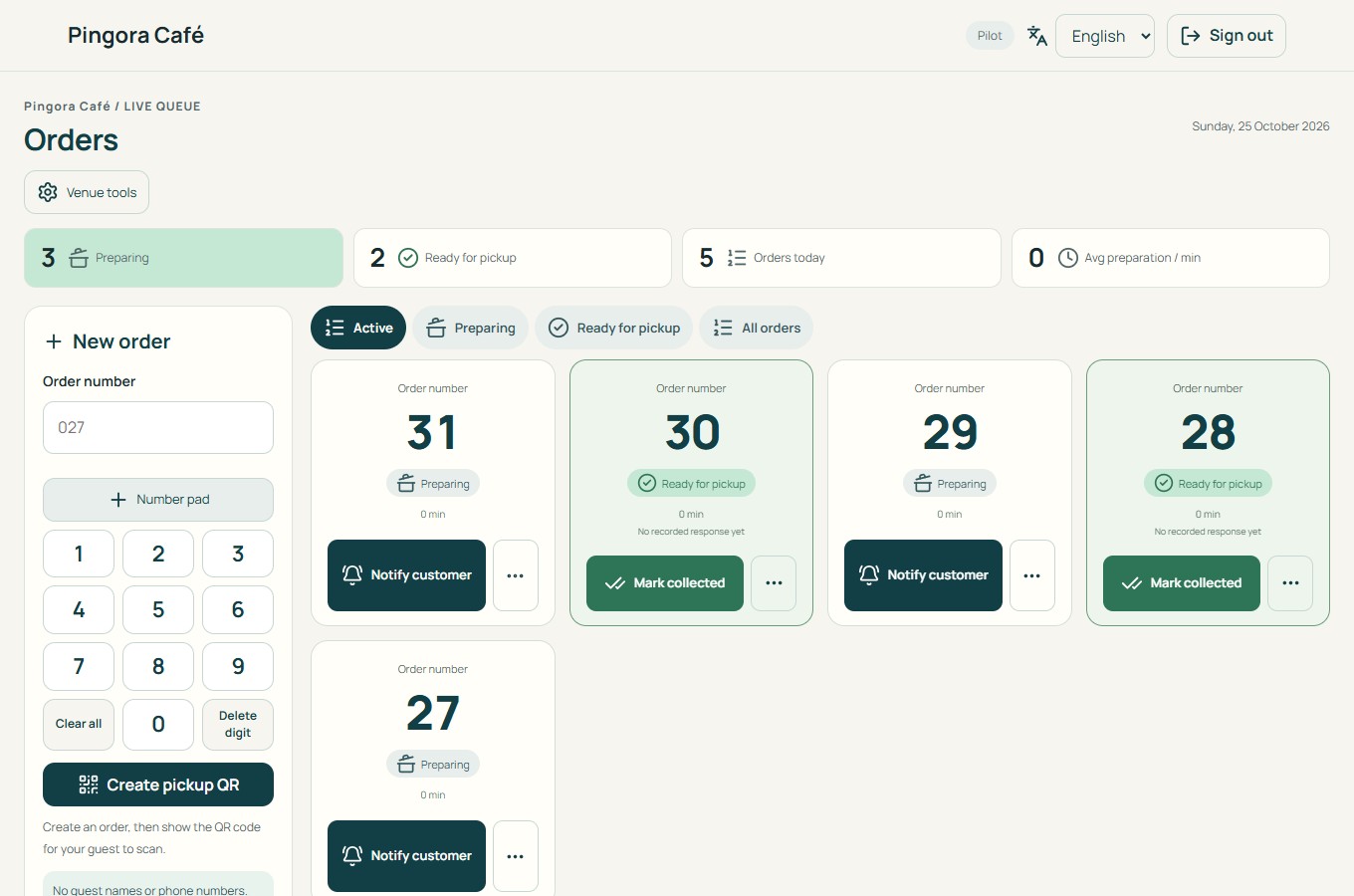
Staff enters a short visitor number in Pingora and shows its QR code. Keep your existing reception and appointment routines.

PINGORA FOR SERVICE DESKS & RECEPTIONS
Register a visitor number and show its QR code. Let visitors follow the status on their own phone, then call them when your team is ready to help.
14-day trial · No payment card required

A HUMAN-LED CALLING ROUTINE
Staff enters a short visitor number in Pingora and shows its QR code. Keep your existing reception and appointment routines.
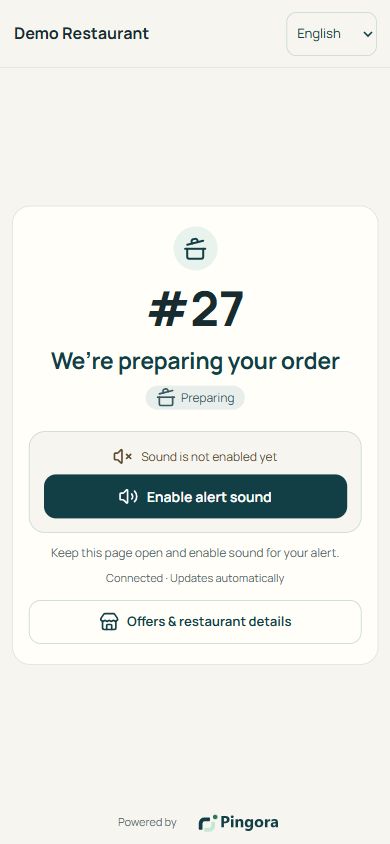
Their browser opens a private ticket link with the number and status. Ask them to activate sound or supported notifications and explain where to return.
Staff selects the ticket and marks it ready when they can help. Acknowledgement and completion are separate actions; Pingora does not choose the next visitor automatically.
SEE THE WORKFLOW BEFORE YOU START
The underlying workflow is create, wait, ready and complete. These actual screenshots use a restaurant demo: the current interface still uses order and pickup wording. Check that terminology with your team before adopting it for reception.

USE THE SCREEN IN YOUR WAITING AREA
Basic provides number registration, status pages and guest alerts. Plus adds your own browser-enabled display for QR handoff, ready numbers and informational slides.
Use your own screen. No appointment booking, automatic queue position, estimated waiting time or service-system integration is included.
Illustrative image created for Pingora. Not a customer endorsement.
14 DAYS FREE · NO CARD REQUIRED
A simple start
Manage orders and notify guests on their phones.
Contact us for pricing
Annual plan: 12 months with 10% off.
FOR A COMPLETE IN-VENUE EXPERIENCE
Add a branded display inside your venue.
Contact us for pricing
Annual plan: 12 months with 10% off.
Page sound requires the guest to activate it and keep the page open. On Android, optional Web Push in a supporting browser can notify in the background after permission. Delivery and sound depend on settings and connectivity.
On iPhone, background web notifications require adding the order page to the Home Screen and enabling notifications. An ordinary Safari tab cannot promise sound after screen lock.
Pingora does not manage appointments, cases, payments or priority rules and is not a clinical or safety-critical alert system. Use visitor numbers without sensitive information. Keep an alternative spoken-number routine.
BEFORE YOUR FIRST VISITOR
No. Your staff decides who to call and registers the number manually. Continue using your existing booking or case system. Automatic queue ordering and predicted waiting times are not included.
The 14 days start when the email address is verified. There is no automatic charge; online payment is not connected yet. New orders pause after the trial, while existing ones can be completed.
No app is needed to view status, and no name or phone number is required. Background notifications have device-specific requirements; iPhone needs a Home Screen web app. Avoid sensitive details in the visitor number.
The current product uses order/pickup labels. You can evaluate the same number-calling workflow for reception, but this page does not promise a separate appointment interface or integrations. Confirm suitability during the trial.